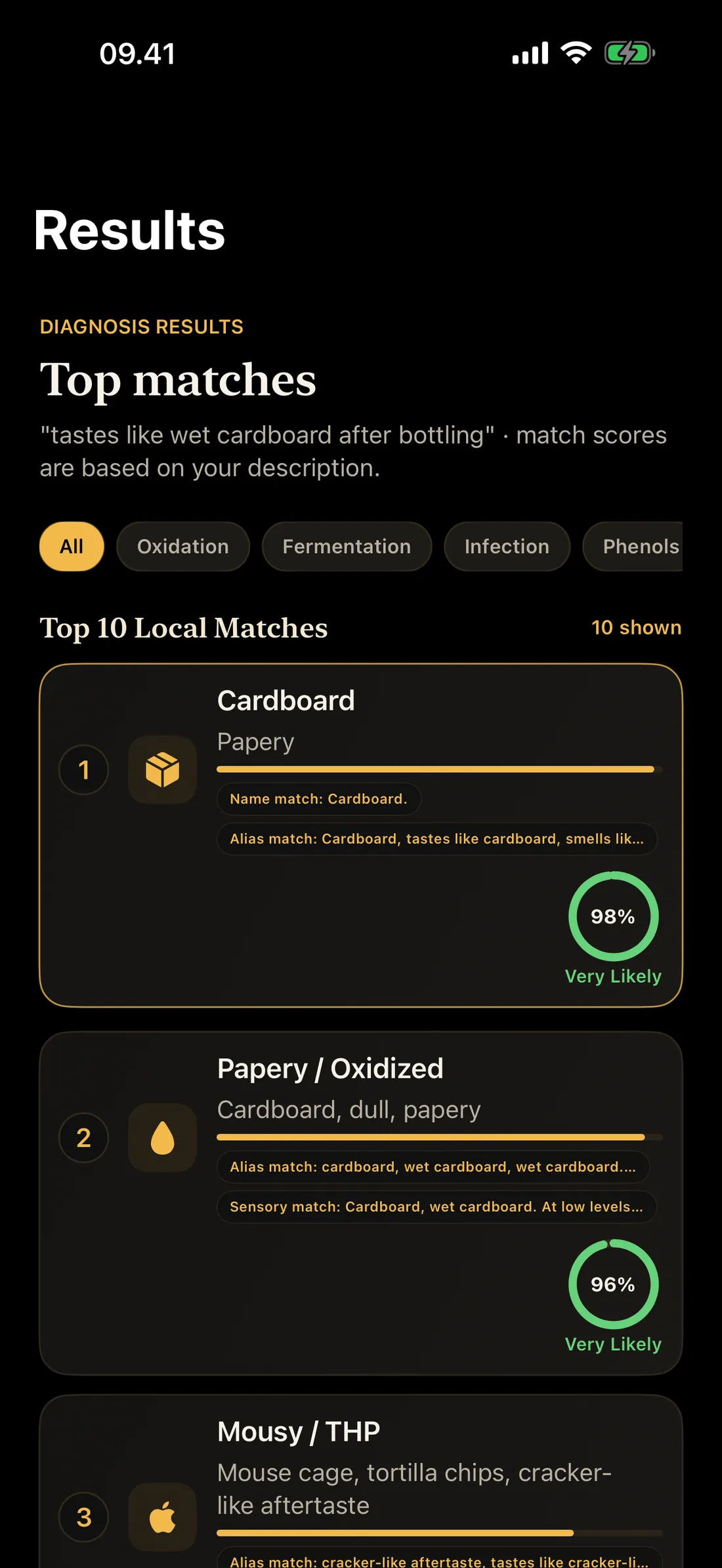
Describe it naturally
Use everyday words for what you smell, taste or feel. Smart compares your description with the local BeerStories knowledge base.
A clearer path from tasting note to next batch
Describe what you taste or smell. Explore Smart likely matches grounded in BeerStories knowledge, then use clear, practical guidance to shape your next batch.
Built for curious brewers
Use everyday words for what you smell, taste or feel. Smart compares your description with the local BeerStories knowledge base.
Review ranked possibilities, sensory clues and focused follow-up questions without treating a score as lab confirmation.
Read complete articles about causes and prevention, then connect process observations to your next brew-day review.
Discover Off-Flavor Finder
Explore the tools for understanding your beer, improving your brewing and developing your tasting skills.
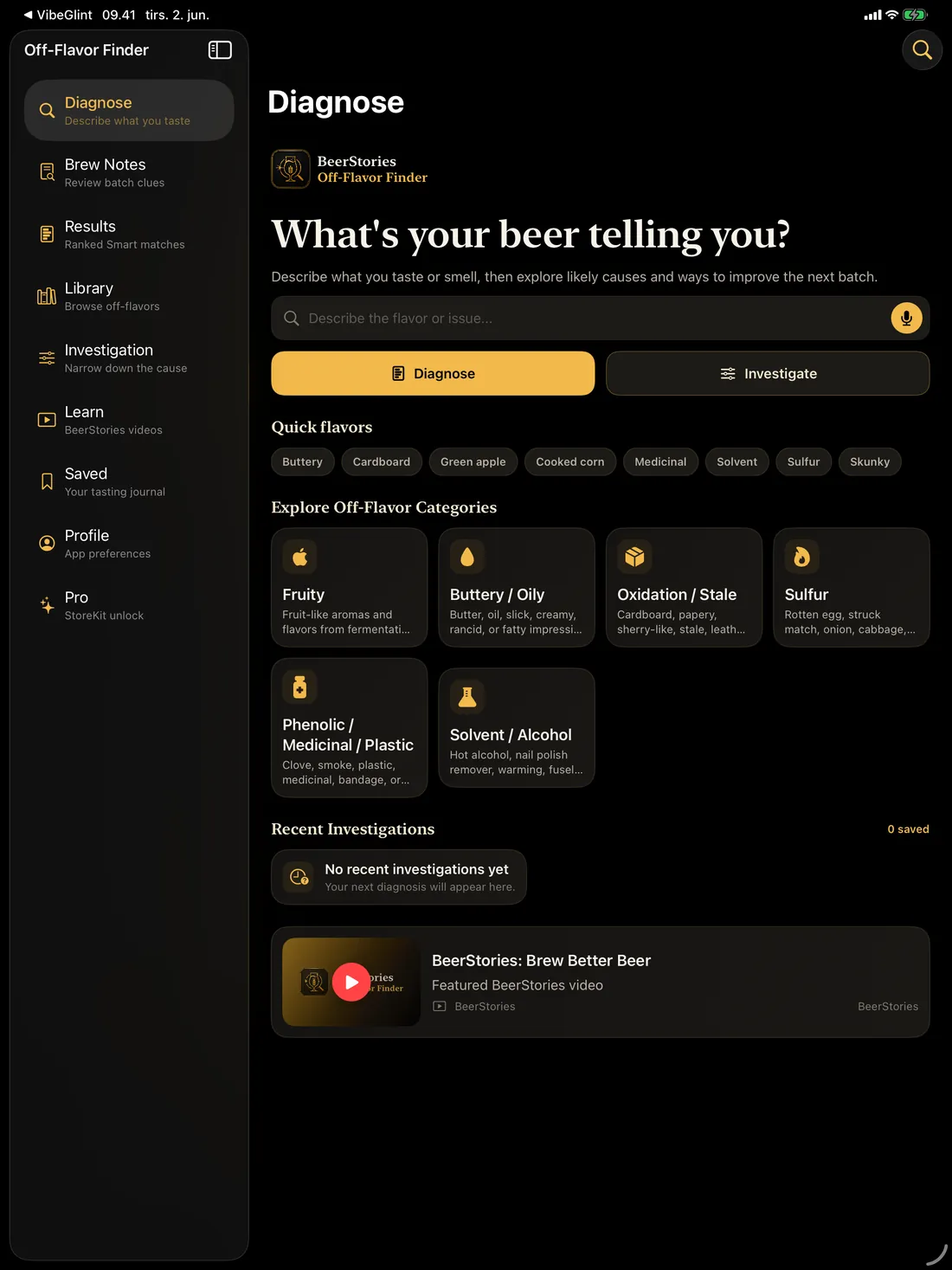
Start with your tasting description, Smart Guide and learning tools in one adaptive workspace. Clearer cards make room for your reference and notes on iPhone, iPad and Apple silicon Mac.
Ask about off-flavors, brewing, tasting balance or food and beer pairings. Pro-only SmartChat appears on devices that support Apple Private Cloud Compute.
Fold it away and reopen it with your draft and conversation preserved in the current session.
SmartChat is shown only while Apple Private Cloud Compute is available and enabled. Internet access and a compatible device and system are required; Apple’s daily limit applies separately from Pro.
Choose from 96 quiz questions and 24 practical tasting exercises across 12 topics. Try quizzes without a beer, revisit weak topics or record your own tasting observations. Quiz scores and practical completion stay separate and are saved locally.
Record structured observations with tasting sheets for Denmark, USA, Norway, Sweden and Germany, or the BeerStories house sheet. Keep your own notes and export your tasting records.
Import text from a photo, or add handwriting on a supported iPad. Review extracted details before saving, then explore local process-risk guidance alongside your own observations.
The launch plan includes 10 free lookups or diagnoses, then a one-year Pro subscription for unlimited lookups and SmartChat on supported devices. Apple shows your local price before purchase.
The subscription renews automatically unless cancelled at least 24 hours before renewal. Manage it through your Apple account and use Restore Purchases for an existing valid purchase.
Describe clues such as canned corn, butter or green apple in your own words. Smart recognises reviewed phrases and selected spelling variants, respects what you say is absent, and keeps sensory clues separate from process observations. A likely match remains a guide, not a laboratory result.
SmartChat connects your question with relevant BeerStories sources, whether you are exploring a beer fault or asking about food pairings. If an answer cannot be supported, it asks you to clarify rather than presenting unrelated advice.
The tools behind the answer
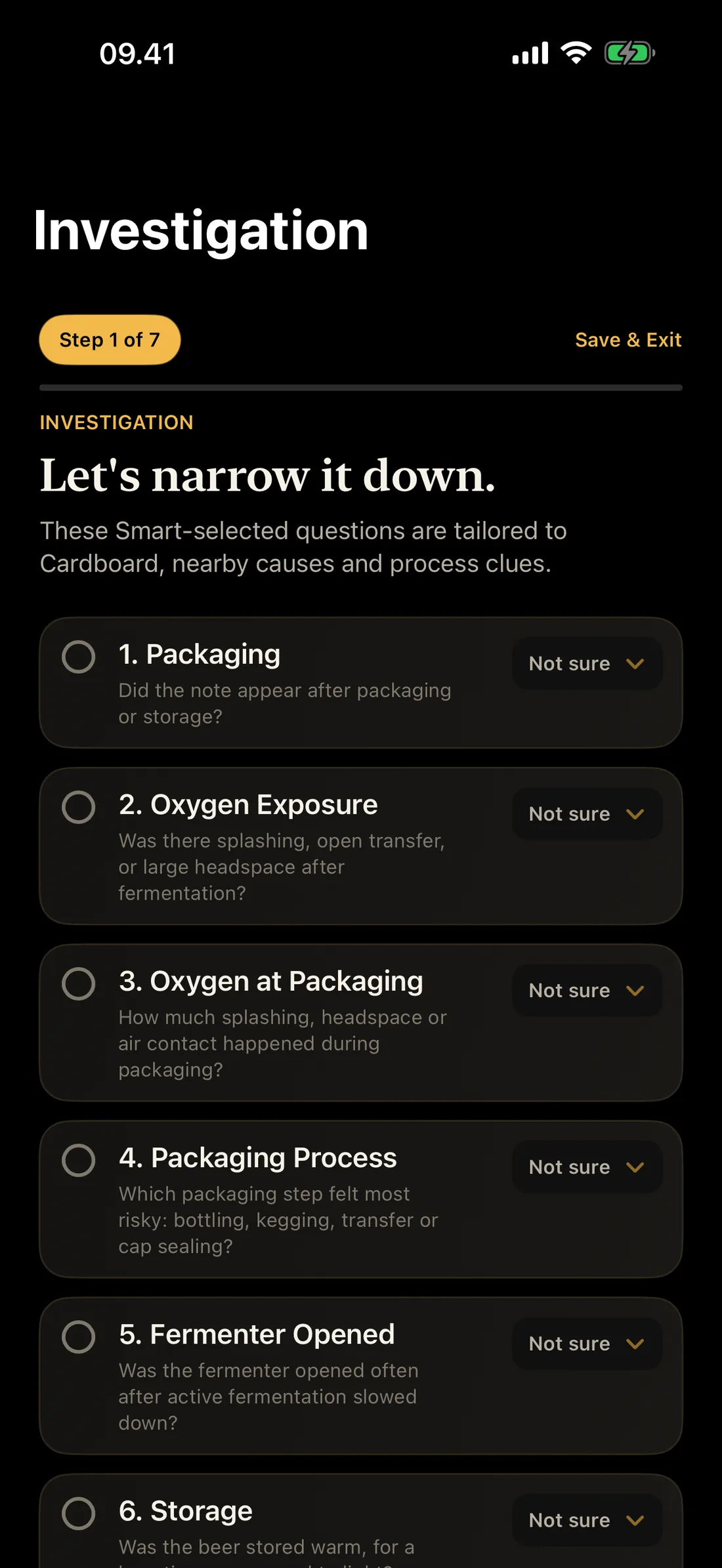
Answer one relevant question at a time and keep your observations separate from Smart guidance.
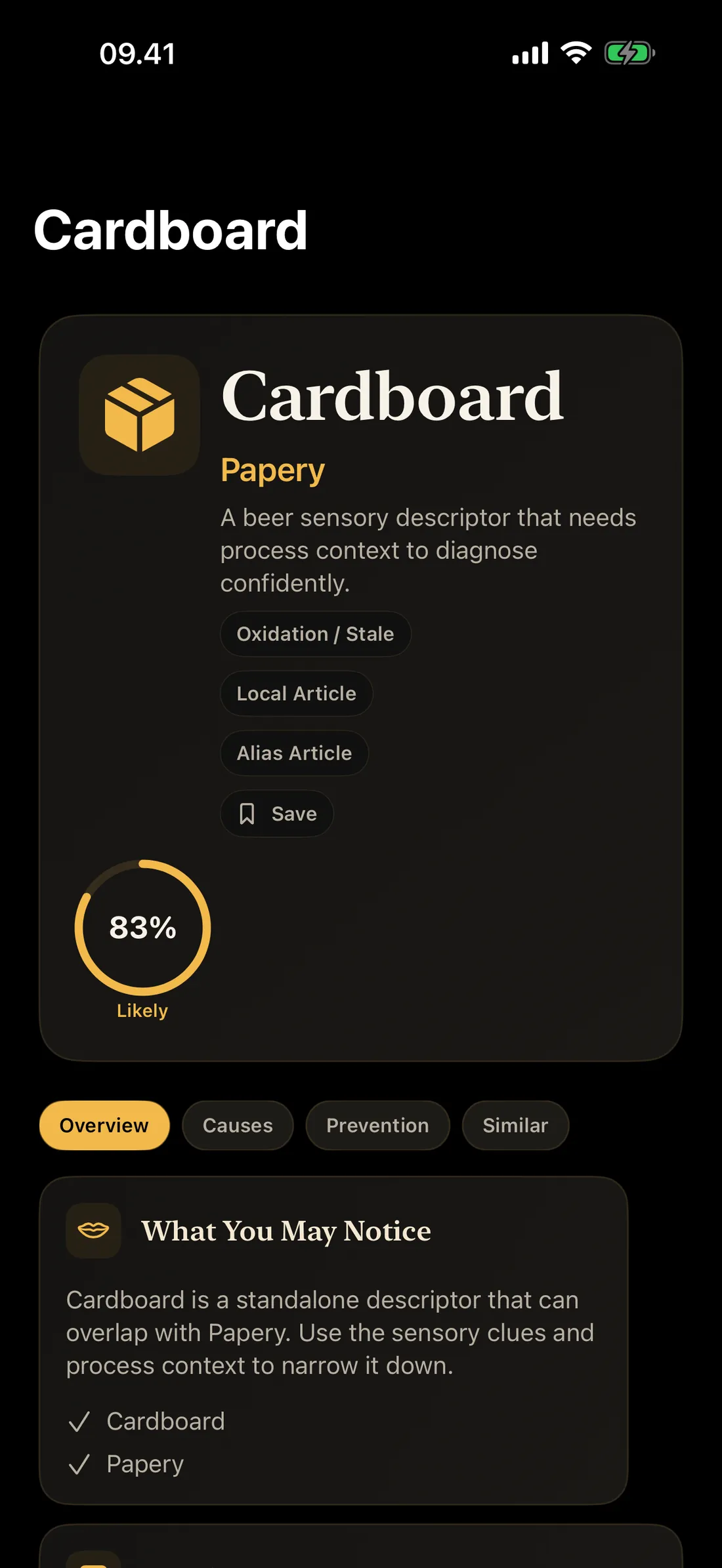
Each article stands on its own with sensory context, potential causes and practical prevention information.
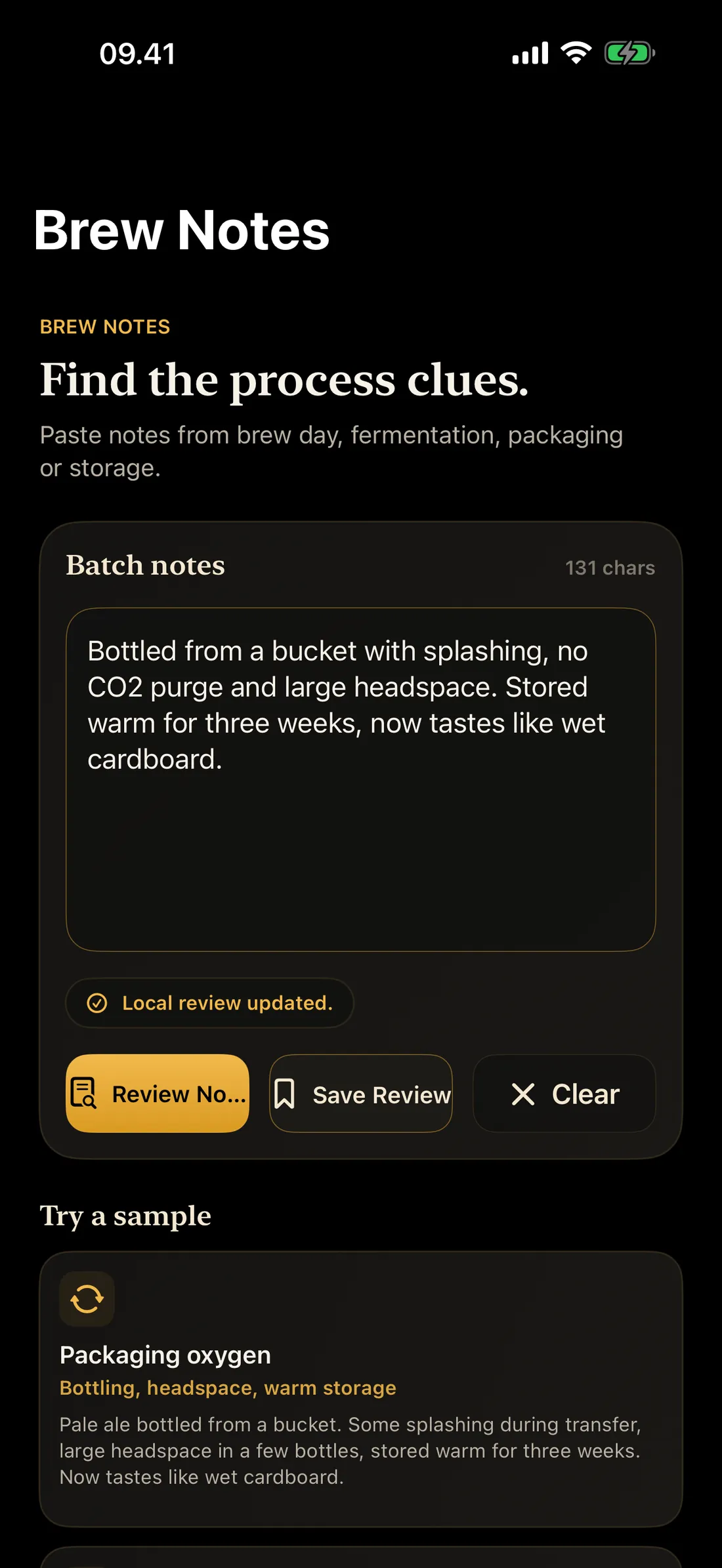
Keep notes on your device and use them to revisit process risks and observations for a batch.
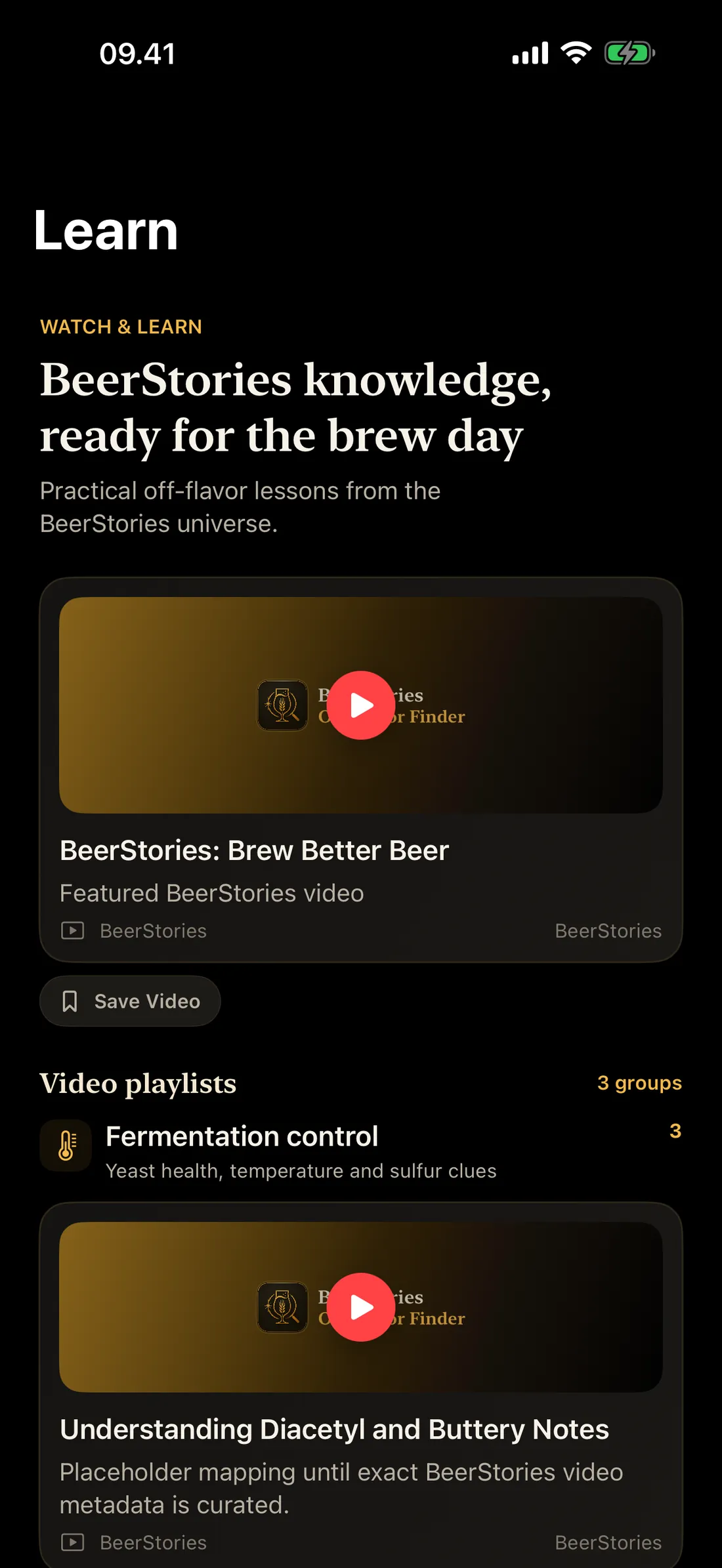
Browse brewing videos in the app and start playback only when you choose to watch.
A grounded workflow
Write the aroma, flavor or mouthfeel you notice, then choose Diagnose.
Read the match reasoning and answer a focused question if you want to investigate further.
Use the article and your own process notes to decide what to check in the next batch.
Private by design
Your saved notes and history stay on your device. Only a Smart action you start can send the current request and relevant BeerStories sources to Apple Private Cloud Compute. You can switch this off in Settings. No account is required. YouTube connects only when you choose a video. Read the app privacy notice
Ready for your workspace
Off-Flavor Finder is built for iPhone and iPad. Apple silicon Macs run the iPad app, with an adaptive workspace for your reference and notes.
Good to know
No. Scores are likely matches based on your description and local BeerStories knowledge. They are not chemical tests or confirmation of a cause.
Saved records stay on your device. When enabled, a Smart action you start may send the current request, up to four recent chat exchanges and relevant BeerStories sources to Apple Private Cloud Compute. Previous opt-outs are preserved. Turn it off in Settings to stop cloud requests and hide SmartChat. Your saved notes are not uploaded automatically.
The website is available in 11 languages. The upcoming app update offers the same 11 languages for its interface, articles, Smart sources and training exercises.
The upcoming update offers 96 quiz questions and 24 practical tasting exercises across 12 topics. Choose a type, try today’s five questions or revisit weak topics. Practical observations and completion are kept separate from quiz scores and saved locally.
Off-Flavor Finder is built for iPhone and iPad. Apple silicon Macs run the iPad app.
BeerStories Off-Flavor Finder